Show the useful details
Keep room capacity, screens, whiteboards and other amenities current so employees can choose a suitable space.

Meeting room booking software for your office. Compare capacity, amenities and location, then reserve a suitable space.
Core: $149/month · 50 spaces · up to 250 users
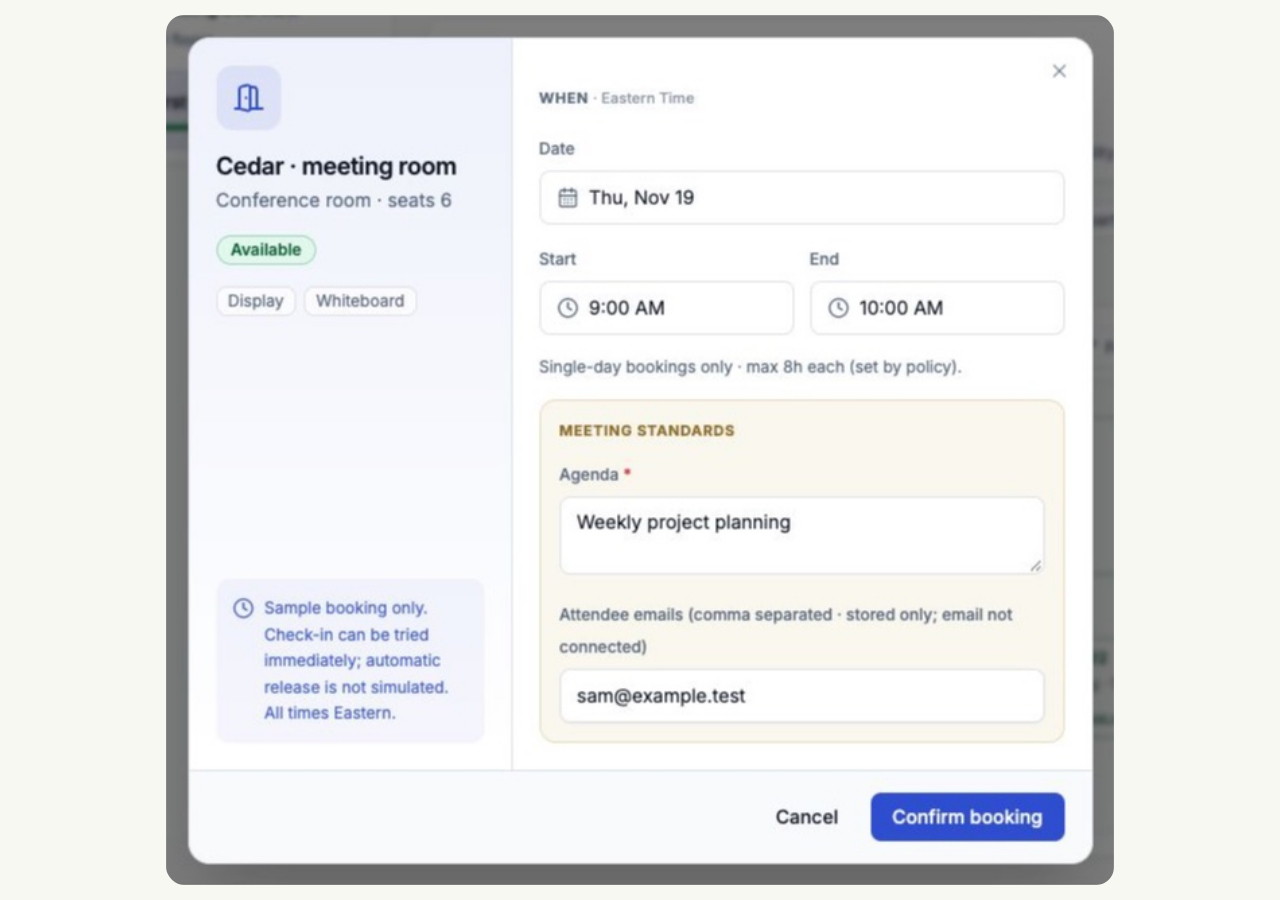
Room booking software gives colleagues a shared place to find a meeting space and reserve a time. SmartSpace puts meeting rooms on your office floor plan alongside desks and parking.
The organizer chooses the room using its details; displayed capacity does not mean the system automatically matches a room to the attendee count. Recording attendee emails does not by itself send calendar invitations.
Agree on cancellations and shared-room etiquette with the meeting room booking rules guide. When comparing software, use the same workflow checklist and test any calendar connection your office needs.
Keep room capacity, screens, whiteboards and other amenities current so employees can choose a suitable space.
Set booking windows and duration limits to match the way your office shares its meeting rooms.
Find upcoming reservations in My bookings and cancel when plans change, making the room available for someone else.
A six-person meeting needs a display and a whiteboard. The organizer checks the room’s details before reserving it. When the meeting changes, they update or cancel the reservation so colleagues can plan around the new availability.
See rooms on your office floor plan and review their capacity, location and amenities before reserving. Keep room details up to date as your equipment or layout changes.
These names often describe the same office task: reserving a room for a time and keeping its availability current. Check the product’s actual scope, including booking changes, room details and any calendar connection you need.
Core covers the booking software. Tablets, door displays, hardware setup and specialist services are scoped separately.
Core includes rooms alongside desks, parking and basic visitor management. Each bookable room counts as one space toward your allowance.
Yes. Meeting rooms and desks are part of the same workplace booking platform. Keep room capacity and amenities current, and use desk booking for the shared workstations your team needs.
Update names, capacity, amenities and booking areas as the office changes.
Explore floor-plan management →Use completed bookings, changes and admin tasks to evaluate a rollout.
Read the workplace booking trial guide →Try desks, rooms, parking and visitors in one workspace.