
Desk booking software that runs on your own floor plan
Desk booking here means people reserve a specific desk, for a specific time range, by looking at a drawing of the floor they will be sitting on. Availability recolours as the time changes, the limits you set are enforced when the booking is created rather than suggested in the form, and anything nobody checks into goes back on the plan by itself.
Core: $149/month before tax for one office, 50 bookable spaces and up to 250 users. Start with a 30-day free trial.
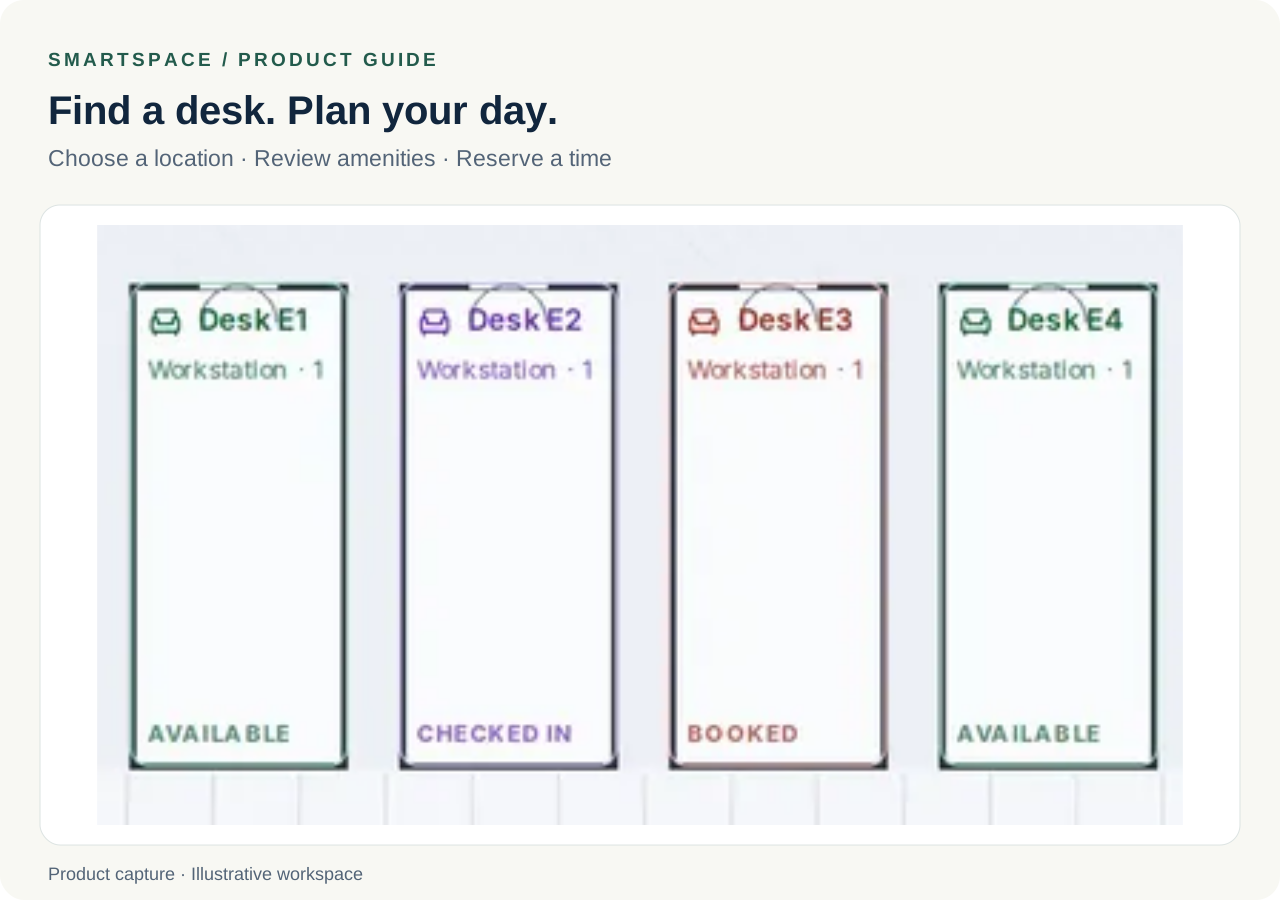
People book by looking at the floor, not reading a list
The question someone is asking is almost never whether desk 4B is free. It is where they can sit near the people they are working with today, and a list cannot answer that without the reader holding a mental map of the office. Every space is drawn where it physically is, and recolours per time slot.
- Available, booked, checked in and blocked are four distinct states, per time range
- Filter to workstations, offices, conference or breakout, or view by department zone
- Desks, cubicles, private offices, meeting rooms, breakout space and parking bays are all spaces, so they behave the same way
- Repeat daily, weekly, or on chosen weekdays for up to 26 weeks
Limits hold because the server holds them
A booking rule that lives only in the interface is a suggestion. Every limit here is checked when the booking is created, so the same rule applies whether the booking came from the app, from an approval link in an email, or from a delegate acting for somebody else.
- A booking horizon, so nobody takes the good desk for the whole quarter
- A cap on how many bookings one person can hold per week
- Approval required on the space types you choose, and not on the ones you do not
- A single space or a whole floor taken out of service
Check-in is what keeps the plan honest
A desk booking system without check-in slowly fills with reservations nobody honours, and once the plan is wrong twice people stop reading it. Set a grace window after the start time; anything not checked into inside it is released automatically and the space returns to the plan for someone else.
What it costs to try
Start with a 30-day free trial covering one office, up to 50 bookable spaces and up to 250 users. The Core plan is $149 per month before tax and includes desks, meeting rooms, parking and basic visitor management. Larger offices, more users and custom work are scoped separately.
Questions about desk booking
Can we use this for hot desking?
Yes, and the check-in rule is what makes it work. Set a grace window and any desk nobody checks into inside it is released back onto the plan. Cap how many bookings one person can hold per week and you stop the pattern where a few people quietly reserve the same desk every day.
How long does it take to set up one floor?
Start with one floor: upload a clear plan, review the detected spaces, set booking rules and invite a small team. Setup time depends on the plan and the corrections needed. Use the trial to test the process; larger or custom rollouts are scoped separately.
Does a desk booking need a reason or an agenda?
No. Agendas are asked for on meeting rooms, where they are useful, and never on desks, where the field would be friction with nothing to write in it.
Related features
- Meeting room booking
Book meeting rooms on the floor plan, record agendas and attendee emails, and apply your office booking and check-in policies.
- Floor plans
Upload a PDF or image of your floor plan, let the rooms be detected, then drag spaces into place. The plan becomes the booking interface.
Further reading
- How to set up desk booking for a small office
A practical order of operations for putting desk booking into an office of 10 to 100 people, and the three settings that decide whether people keep using it.
- What a hot desk booking system does, and when you need one
Learn how a hot desk booking system works, when to replace a spreadsheet and what to test before choosing desk booking software for your office.
- Why desk booking fills up with no-shows, and how to stop it
No-shows make a booking system untrustworthy faster than any bug. The causes are usually configuration, not people, and there are four settings that fix most of it.