
Visitor registration and check-in for office teams
Keep expected guests, walk-ins, arrivals and departures in one place. Employees register their guests, and office reception can maintain the visitor record alongside the team's workplace bookings.
Start with the visitor-management overview for reception, then evaluate these features with your office team.
Core: $149/month before tax for one office, 50 bookable spaces and up to 250 users. Start with a 30-day free trial.
Prepare the visit before arrival
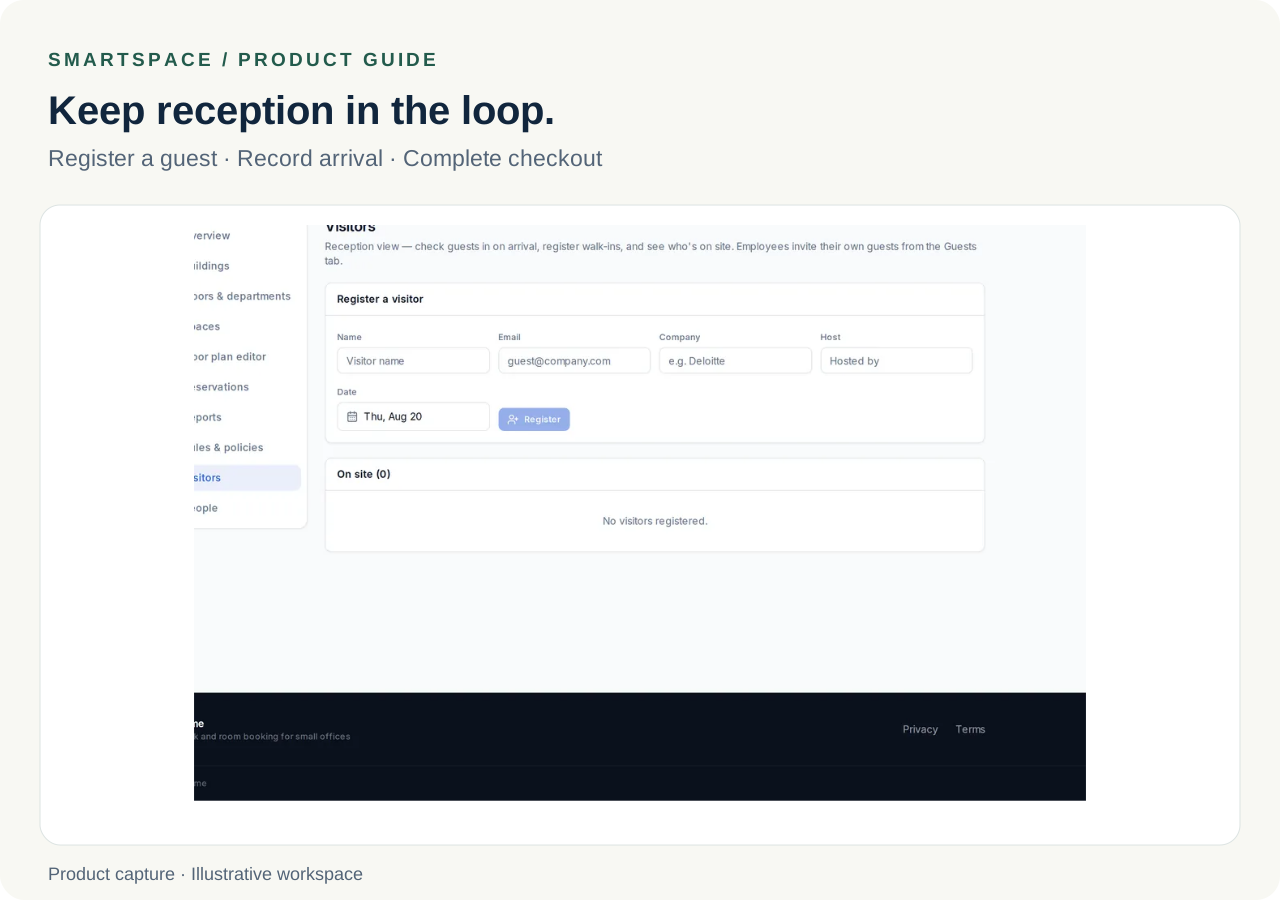
Record the guest's name, company, host and visit date. Employees can provide an optional guest email address for an invitation. Check the invitation your office sends during the trial, and share any additional arrival instructions with the guest.
- Register expected visitors or add walk-ins at reception
- Include an optional email address when inviting a guest
- Record arrival and checkout explicitly in the visitor list
- Review the recorded check-in and checkout times
Plan visitor records and space bookings together
A visitor record and a desk or meeting-room reservation serve different purposes. Register the guest, then arrange any space they need through the booking workflow. Confirm both parts during the trial rather than assuming a visitor entry reserves a space automatically.
Try a complete visit before inviting real guests
Use a clearly labeled sample visitor during your trial. Have an employee register the visit, provide an optional invitation email only if you want to test delivery, and have the responsible reception user record arrival and checkout. Keep real guest details out of screenshots or shared training material.
- Preparation: record the visitor, company, host and visit date.
- Space: make a separate room or desk booking if the visit needs one.
- Arrival: record check-in and review the recorded arrival time.
- Departure: use the checkout action and review the departure time.
- Handoff: agree who updates the record if the visit changes.
Set a manageable guest policy
A configured daily guest limit helps employees plan visits around the office's capacity. Decide who maintains visitor records and who is responsible for recording arrival and departure.
Questions about visitor management
Do visitors need an account?
No. A visitor record is separate from an employee account. Someone who needs to sign in and make their own bookings needs an appropriate user account.
What about check-out?
Use the check-out action in the visitor list when the guest leaves. An expected visit date is not confirmation that someone has departed.
What does basic visitor management include?
Expected guests, walk-ins, guest invitations when an email address is supplied, and arrival and departure records. Badge printing, identity screening and door access are outside basic visitor management in Core.
Related features
- Desk booking
Desk booking on your own floor plan. SmartSpace Core is $149/month for one office, 50 spaces and up to 250 users, with a 30-day trial.
- Meeting room booking
Book meeting rooms on the floor plan, record agendas and attendee emails, and apply your office booking and check-in policies.
Further reading
- How to run visitor check-in without a receptionist
What a visitor process needs to cover when nobody sits at the front desk, and the three failure points that catch small offices out.